

You already have a co-pilot. You just may not have called it that yet. Every time your CRM surfaces the next best action, your inbox drafts a reply for you, or your analytics dashboard flags an anomaly before you spot it — that is an AI co-pilot at work. The terminology is new. The concept is rapidly becoming the backbone of how modern businesses operate.
By 2027, analysts project that AI co-pilots will be as standard in business software as search bars are today. If your competitors are already deploying them, the question is no longer whether to adopt an AI co-pilot — it is how quickly you can build or integrate one that fits your specific workflows.
This guide cuts through the buzzword and gives you a practical, honest breakdown of what AI co-pilots actually are, how they differ from chatbots and automation, why they matter across every industry, and what it takes to build one for your business.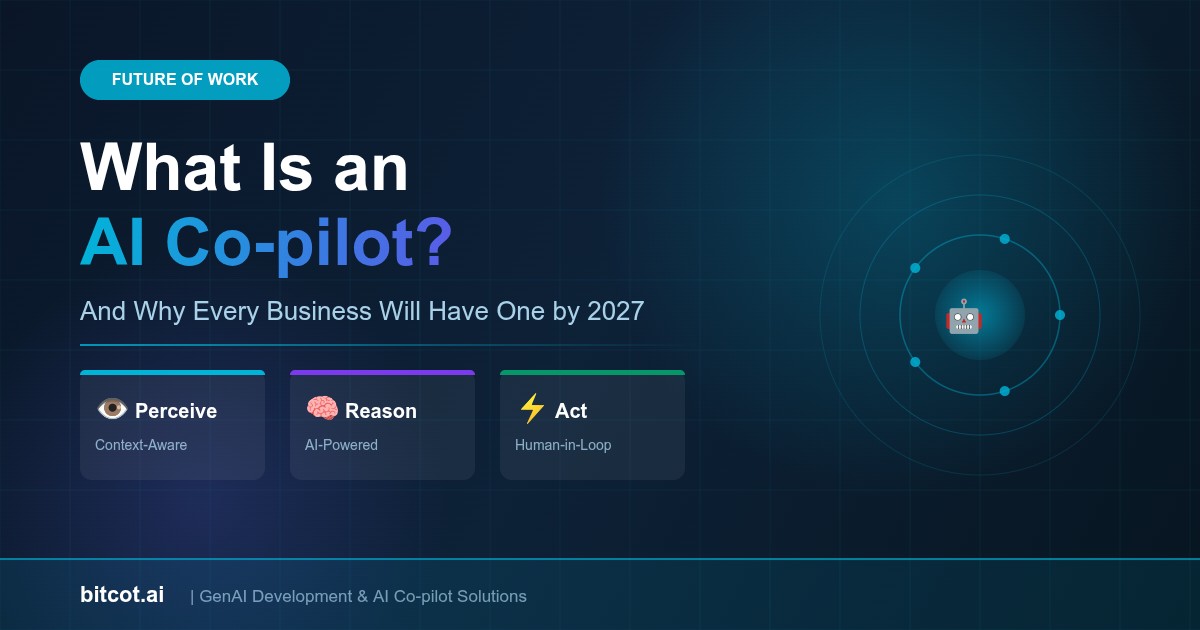
What Is an AI Co-pilot? (The Simple Version)
Think about a commercial aircraft. The pilot is in command — making judgment calls, responding to unexpected conditions, bearing ultimate responsibility for the outcome. The co-pilot doesn’t replace the pilot. Instead, they manage the instruments, run through checklists, share the cognitive load, and step in to handle routine operations so the pilot can focus on what truly requires human expertise.
An AI co-pilot for business works the same way. It is an AI system embedded directly inside your existing tools and workflows that actively assists your team members — not by replacing their judgment, but by augmenting it. It watches what you’re working on, understands context, surfaces relevant information, suggests next actions, drafts outputs for your review, and flags what you might have missed.
The critical distinction: an AI co-pilot is proactive and context-aware. It doesn’t wait to be asked. It lives inside your workflow.
AI Co-pilot vs. Chatbot vs. Automation: What’s the Difference?
| Feature | Traditional Chatbot | RPA / Automation | AI Co-pilot |
|---|---|---|---|
| Interaction Style | Reactive (you ask, it responds) | Fully automated (no interaction) | Proactive + collaborative |
| Context Awareness | Limited to conversation thread | None — rule-based only | Deep — understands your work state |
| Workflow Integration | Separate interface | Backend, invisible | Embedded in your existing tools |
| Handles Ambiguity? | Poorly | No — breaks on edge cases | Yes — reasons through it |
| Learns From Your Data? | Rarely | No | Yes — trained on your context |
| Human Control | Low | None during execution | Human-in-the-loop by design |
The key takeaway: a chatbot answers questions. Automation executes pre-defined scripts. An AI co-pilot thinks alongside your team — understanding context, anticipating needs, and presenting options for humans to approve and act on.
The Three Layers of an AI Co-pilot
Most effective AI co-pilots operate across three functional layers that work together seamlessly:
Layer 1 — Perception (Understanding Your Context)
The co-pilot continuously reads signals from the tools and data sources your team uses — emails, CRM records, project management boards, documents, customer conversations, financial data. It builds a real-time picture of what’s happening across your business. This is what separates an AI co-pilot from a simple search tool: it doesn’t wait for a query. It observes.
Think of it like this: imagine a highly experienced business analyst sitting beside every member of your team, reading every document they open, every ticket they update, every email they send — and quietly building a mental model of your business in real time. That is what the perception layer does, only at machine speed and scale.
Layer 2 — Reasoning (Making Sense of What It Sees)
Using large language models and business logic specific to your domain, the co-pilot interprets the signals it receives. It identifies patterns, surfaces anomalies, generates draft content, suggests prioritization, and formulates recommendations — all grounded in your actual business context, not generic training data alone.
This is where the intelligence lives. The reasoning layer is what allows an AI co-pilot to draft a contract amendment based on a negotiation thread, or flag a customer at churn risk based on a combination of support ticket sentiment, usage decline, and payment history — things no simple automation rule could catch.
Layer 3 — Action (Doing, With Your Approval)
The co-pilot surfaces its outputs — drafted documents, recommended next steps, alerts, pre-filled forms — directly inside the tools your team already uses. A human reviews and approves. The co-pilot executes. This keeps humans in control of consequential decisions while eliminating the low-value cognitive work that consumes hours every day.
This human-in-the-loop design is what makes AI co-pilots fundamentally safer and more trustworthy than fully autonomous AI agents for most business contexts.
AI Co-pilots Across Industries: Real-World Applications
AI co-pilots are not a single product — they are an architectural pattern that appears differently depending on the industry and workflow. Here is how they are transforming business operations across sectors right now:
Sales & Revenue Teams
A sales co-pilot embedded in your CRM monitors every deal in the pipeline. After each customer call (which it can transcribe and analyze automatically), it drafts follow-up emails, updates deal stages, surfaces relevant case studies for the specific objection the prospect raised, and flags deals where engagement signals suggest risk. Reps spend less time on admin and more time building relationships.
Business outcome: Sales teams using AI co-pilots report 20–35% reduction in time spent on CRM data entry, allowing higher-quality prospect interactions per rep per week.
Customer Support Operations
A support co-pilot reads an incoming customer message, instantly retrieves the customer’s full history, cross-references the issue against known solutions in your knowledge base, and presents the support agent with a draft response — before the agent has finished reading the ticket. The agent reviews, personalizes, and sends. Resolution times drop dramatically without sacrificing quality or empathy.
Business outcome: Faster average handle times, higher first-contact resolution rates, and agents who can handle more complex cases because routine ones are handled with AI assistance.
Legal & Compliance
A legal co-pilot reviews incoming contracts, flags clauses that deviate from company standards, summarizes multi-hundred-page documents into executive briefs, and drafts redlined versions for attorney review. What once took a junior associate two days now takes an AI co-pilot two minutes — with the attorney’s expertise applied to reviewing, not extracting.
Business outcome: Law firms and in-house legal teams using AI co-pilots report dramatically faster contract turnaround without increasing headcount.
Healthcare
A clinical co-pilot listens to a physician-patient conversation (with patient consent), generates clinical documentation in real time, cross-references the patient’s history with current symptoms to surface differential diagnoses for the physician’s consideration, and handles prior authorization paperwork automatically. Physicians spend more time on medicine and less on documentation.
Business outcome: Reduced physician burnout, more complete clinical notes, and faster insurance processing — all without the physician taking their eyes off the patient.
Finance & Accounting
A financial co-pilot monitors transactions for anomalies, flags potential compliance issues, auto-categorizes expenses, drafts variance commentary for board reports, and surfaces cash flow projections based on real-time data. CFOs and finance teams shift from data assembly to strategic analysis.
Business outcome: Month-end closes that used to take 10 days are completed in 4, with higher accuracy and full audit trails.
Software Development
A developer co-pilot (like GitHub Copilot, but purpose-built for your codebase) suggests completions, catches potential bugs before they ship, auto-generates tests, translates documentation into code stubs, and explains legacy code that even the original authors may have forgotten. Development velocity increases without sacrificing code quality.
Business outcome: Engineering teams ship features faster, spend less time debugging, and onboard new developers more quickly with AI-assisted code comprehension.
Why Every Business Will Have an AI Co-pilot by 2027
The trajectory is unmistakable. Here is why AI co-pilots will be universal within two years:
1. The Competitive Pressure Is Already Here
Enterprise software vendors are racing to embed AI co-pilots into every product in their stack. Salesforce Einstein, Microsoft Copilot 365, HubSpot Breeze, ServiceNow Now Assist — the tools your team already pays for are shipping AI co-pilot features in every update cycle. Companies that don’t engage with these capabilities are leaving productivity on the table that their competitors are already cashing in.
2. The Cost of Human Attention Is Rising
Skilled knowledge workers are expensive, in high demand, and increasingly overwhelmed by low-value cognitive work — data entry, report compilation, email triage, document review. AI co-pilots are the most efficient solution to this problem that has ever existed. They don’t replace these workers; they multiply their capacity. A team of 10 with an effective AI co-pilot operates with the output capacity of 15 to 20, without adding headcount.
3. Foundation Models Have Reached Production Quality
As recently as 2022, AI co-pilot capabilities were impressive in demos and unreliable in production. The models powering them weren’t sufficiently accurate for business-critical applications. That has changed. GPT-4o, Claude 3.5, Gemini 1.5 Pro, and their successors have crossed the reliability threshold where businesses can deploy them in consequential workflows — particularly with human-in-the-loop design and domain-specific fine-tuning.
4. Retrieval-Augmented Generation (RAG) Solves the Knowledge Problem
Early AI tools hallucinated facts because they relied solely on training data. Modern AI co-pilots use RAG architecture — connecting the model to your live business data, documents, and systems in real time. This means the co-pilot answers based on your specific knowledge base, not generic internet training data. It’s the difference between a brilliant new hire who knows nothing about your company and a brilliant new hire who has read every document you’ve ever produced.
5. ROI Is Measurable and Rapid
Unlike many technology investments that show returns over years, AI co-pilots typically demonstrate measurable impact within weeks of deployment. Time savings are immediate and quantifiable. Quality improvements (fewer errors, more complete documentation, faster response times) are trackable. For leadership teams that need to justify AI investment to boards, this is critical.
What It Takes to Build an AI Co-pilot for Your Business
Many businesses make the mistake of assuming they need to choose between a generic off-the-shelf AI tool and an enormously expensive custom build. The reality is more nuanced — and more accessible than most think. A well-architected AI co-pilot has five core components:
1. Data Layer — Connecting Your Business Knowledge
Your co-pilot is only as useful as the data it can access. This means connecting it to your CRM, ERP, HRIS, document management systems, customer conversation archives, and any other repository of business knowledge. The data layer also includes chunking, embedding, and indexing this information in a vector database for fast, accurate retrieval — the foundation of RAG architecture.
2. Model Layer — The Intelligence Engine
The AI model that powers your co-pilot’s reasoning. Depending on your use case, this might be a general-purpose model like GPT-4o or Claude, a fine-tuned version trained on your domain-specific data, or a smaller, faster model optimized for latency-sensitive tasks. Most sophisticated co-pilots use a combination — a large model for complex reasoning and a smaller model for fast, simple tasks.
3. Tool Layer — What the Co-pilot Can Do
Function calling and tool use allow the co-pilot to take actions — not just generate text. This includes searching your knowledge base, querying databases, sending drafts to your inbox, updating CRM records, triggering workflows, and interfacing with APIs across your tech stack. The more tools the co-pilot can use, the more useful it becomes.
4. Interface Layer — Where Your Team Interacts With It
The best co-pilots meet users where they already work — inside Slack, Microsoft Teams, Salesforce, your proprietary internal portal, or embedded in your web application. A co-pilot that requires users to switch contexts to a new tool will see low adoption regardless of how good the underlying technology is.
5. Feedback & Learning Layer — Getting Smarter Over Time
Effective AI co-pilots capture explicit and implicit feedback — which suggestions were accepted, which were rejected, which outputs users edited significantly. This feedback loop drives continuous improvement through prompt optimization, retrieval tuning, and fine-tuning cycles, making the co-pilot incrementally more accurate and useful with every interaction.
Common Misconceptions About AI Co-pilots
“It will replace my team.”
This is the most common fear — and the most misplaced. AI co-pilots are designed around the principle of human augmentation, not replacement. They handle the low-value cognitive work that drains your team’s energy, freeing them to focus on relationship-building, strategic thinking, creative problem-solving, and the judgment calls that machines genuinely cannot make. Teams using AI co-pilots consistently report higher job satisfaction, not lower — because the work becomes more interesting.
“It will make things up and cause more problems than it solves.”
This was a legitimate concern in 2022. Modern AI co-pilots built with RAG architecture — grounding every response in your actual business data with citations — have dramatically reduced hallucination rates. When built correctly, the co-pilot shows its work: “Based on your contract template v3.2 and the client’s latest email, here is my suggested clause amendment.” You can verify the source before approving the action.
“We need to wait until the technology is more mature.”
The businesses waiting for “perfect” AI will find themselves a year behind when they finally start. The technology is production-ready today for a wide range of business applications. Starting now means starting to accumulate proprietary data, institutional knowledge, and user feedback that will make your co-pilot progressively more powerful. Waiting means starting from zero while competitors are at version 3.0.
Frequently Asked Questions (FAQ)
Q: What is an AI co-pilot for business?
An AI co-pilot for business is an intelligent assistant embedded directly in your workflows and tools that actively helps your team members work more effectively. Unlike a chatbot that waits for questions, a co-pilot proactively surfaces relevant information, drafts outputs for review, suggests next actions, and handles routine cognitive tasks — while keeping humans in control of all consequential decisions.
Q: How is an AI co-pilot different from ChatGPT?
ChatGPT is a general-purpose conversational AI that you interact with in a standalone interface. A business AI co-pilot is context-aware, integrated into your existing tools (CRM, email, document management, etc.), connected to your proprietary data, and designed around your specific workflows. Where ChatGPT requires you to provide context manually in every conversation, a purpose-built co-pilot already knows your business, your customers, your processes, and your standards.
Q: How long does it take to build an AI co-pilot?
A focused AI co-pilot for a specific workflow — say, a sales follow-up co-pilot or a contract review co-pilot — can be built and deployed in 6 to 12 weeks with the right development partner. A broader, multi-department co-pilot with deep integrations typically takes 3 to 6 months to reach full production deployment. A phased approach starting with a high-impact, well-defined use case is almost always the right strategy.
Q: Is an AI co-pilot safe to use with sensitive business data?
Yes, when built correctly. Enterprise-grade AI co-pilots use private model deployments, role-based access controls, data encryption in transit and at rest, and comprehensive audit logging. For industries with regulatory requirements (healthcare under HIPAA, financial services under SOC 2, etc.), compliant architectures exist using models deployed on AWS Bedrock, Azure OpenAI, or Google Vertex AI — all of which offer enterprise data handling agreements. No sensitive data needs to leave your controlled environment.
Q: What’s the ROI of an AI co-pilot for business?
ROI varies by use case, but common benchmarks include: 20–40% reduction in time spent on routine documentation and data entry, 30–50% faster response times in customer-facing roles, 2–4x increase in the volume of documents a team can process, and 15–25% reduction in error rates on tasks like contract review and financial reconciliation. Most businesses see positive ROI within 3 to 6 months of deployment.
Q: Do we need to build a custom AI co-pilot or can we use an off-the-shelf product?
Most businesses benefit most from a hybrid approach: leveraging powerful foundation models (GPT-4o, Claude, Gemini) as the reasoning engine, connecting them to your proprietary data with RAG architecture, and building or customizing the interface and workflow integrations specific to your team. Pure off-the-shelf tools rarely fit the specific nuances of your processes; fully custom builds from scratch are rarely necessary. The sweet spot is purpose-built on proven infrastructure.
How Bitcot Builds AI Co-pilots That Actually Work in Production
At Bitcot, we specialize in building AI co-pilots for business that are designed for real-world deployment — not impressive demos. Our GenAI Development team brings together AI engineers, domain experts, and UX practitioners to build co-pilots that your team actually adopts and uses every day.
Our approach covers every layer of the co-pilot stack:
- Discovery & Use Case Prioritization: We identify the workflows in your business where an AI co-pilot delivers the fastest, most measurable ROI — and build there first
- Data Architecture: We design and implement the RAG pipeline that connects the co-pilot to your business knowledge — securely and accurately
- Model Selection & Fine-Tuning: We select the right foundation model for your use case and fine-tune it on your domain data for maximum accuracy
- Integration Engineering: We embed the co-pilot inside the tools your team already uses — no new interfaces to learn, no friction to adoption
- Feedback Loops & Iteration: We build the infrastructure for continuous improvement so your co-pilot gets smarter with every interaction
- Security & Compliance: We architect for your industry’s regulatory requirements from day one, not as an afterthought
We have deployed AI co-pilots for clients in healthcare, legal, SaaS, e-commerce, and financial services — and we understand that the technology is only half the challenge. Change management, user adoption, and workflow redesign are equally important, and we guide you through all of it.
The Future Is Already Here — It’s Just Not Evenly Distributed
The businesses that will dominate their markets in 2027 are not the ones with the most headcount or the biggest software budgets. They are the ones that figured out how to amplify human intelligence with AI — moving faster, making fewer errors, and freeing their best people to do the work that only humans can do.
An AI co-pilot for business is not a luxury or an experiment. It is becoming operational infrastructure — as fundamental to how teams work as email and spreadsheets were in the 1990s. The window for getting ahead of this shift is still open, but it is closing. The businesses starting now will be two to three product generations ahead of those who wait.
Bitcot is ready to help you build yours. Let’s start with a conversation about where AI can make the biggest difference in your business.